Artificial Intelligence has become part of the daily workflow for many designers, researchers, product managers, and strategists.
Most people were introduced to AI through tools like ChatGPT, Claude, Gemini, or Perplexity.
In the beginning, the most valuable skill seemed to be writing better prompts.

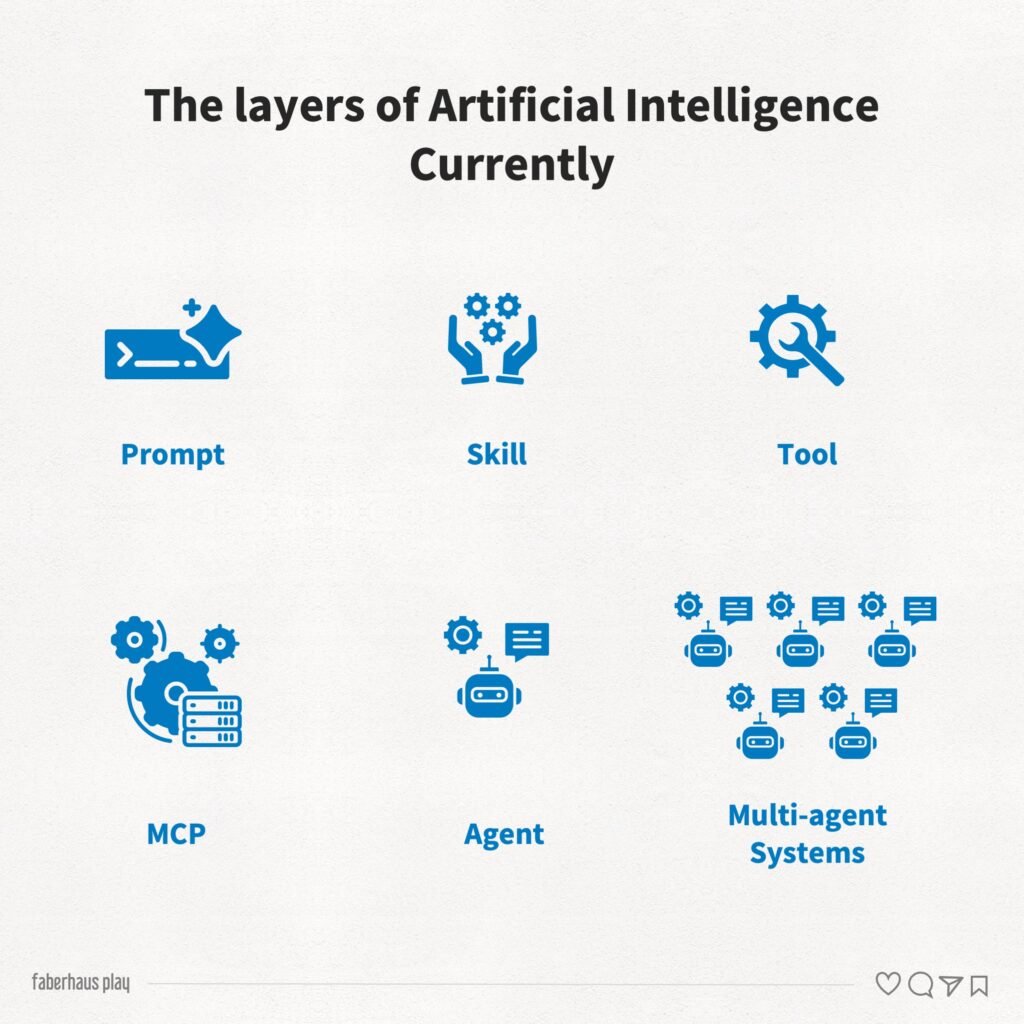
But as the technology evolved, a new layer of concepts emerged: skills, tools, MCPs, agents, and multi-agent systems.
If prompts taught us how to talk to AI, these new capabilities are teaching us how to work alongside it.
For designers, understanding these concepts is becoming increasingly important—not because AI replaces design work, but because it changes how design work gets done.
The First Layer: Prompt-Based AI
Most people interact with AI through prompts.
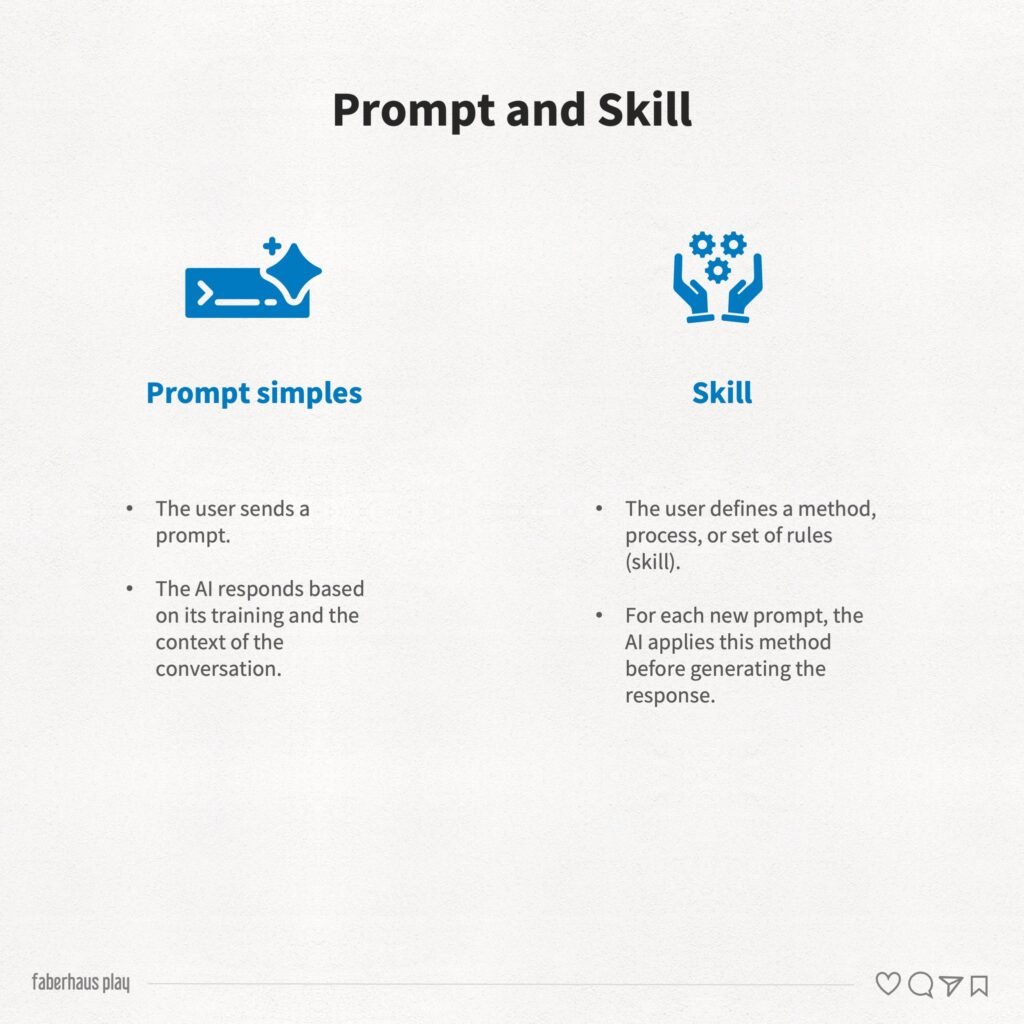
A prompt is simply an instruction given to a model.
For example: Create a user persona for a digital banking application.
The AI uses its training and the context available in the conversation to generate a response.
This approach is simple, fast, and highly accessible.
Advantages
- Easy to learn
- Great for brainstorming
- Fast idea generation
- Useful for one-off tasks
Limitations
- Results can vary significantly
- Strong dependence on prompt quality
- Difficult to standardize
- Hard to scale complex workflows
In this model, the professional still performs most of the thinking and decision-making.
The AI acts primarily as a creative assistant.
The Second Layer: Skills
A skill can be understood as a packaged method, framework, or specialized process.
While a prompt tells the AI what to do, a skill also defines how the work should be done.
For example, a UX Research Skill might automatically:
- Organize interview data
- Cluster recurring themes
- Identify insights
- Generate opportunities
- Prioritize recommendations
Instead of describing every step, the user activates a predefined process.
Advantages
- More consistent outputs
- Less dependency on prompt-writing expertise
- Repeatable workflows
- Easier scaling
Limitations
- Less flexibility
- Requires upfront configuration
- May constrain alternative approaches
In many situations, a skill resembles a specialized professional methodology embedded into the AI.
The Third Layer: Tools
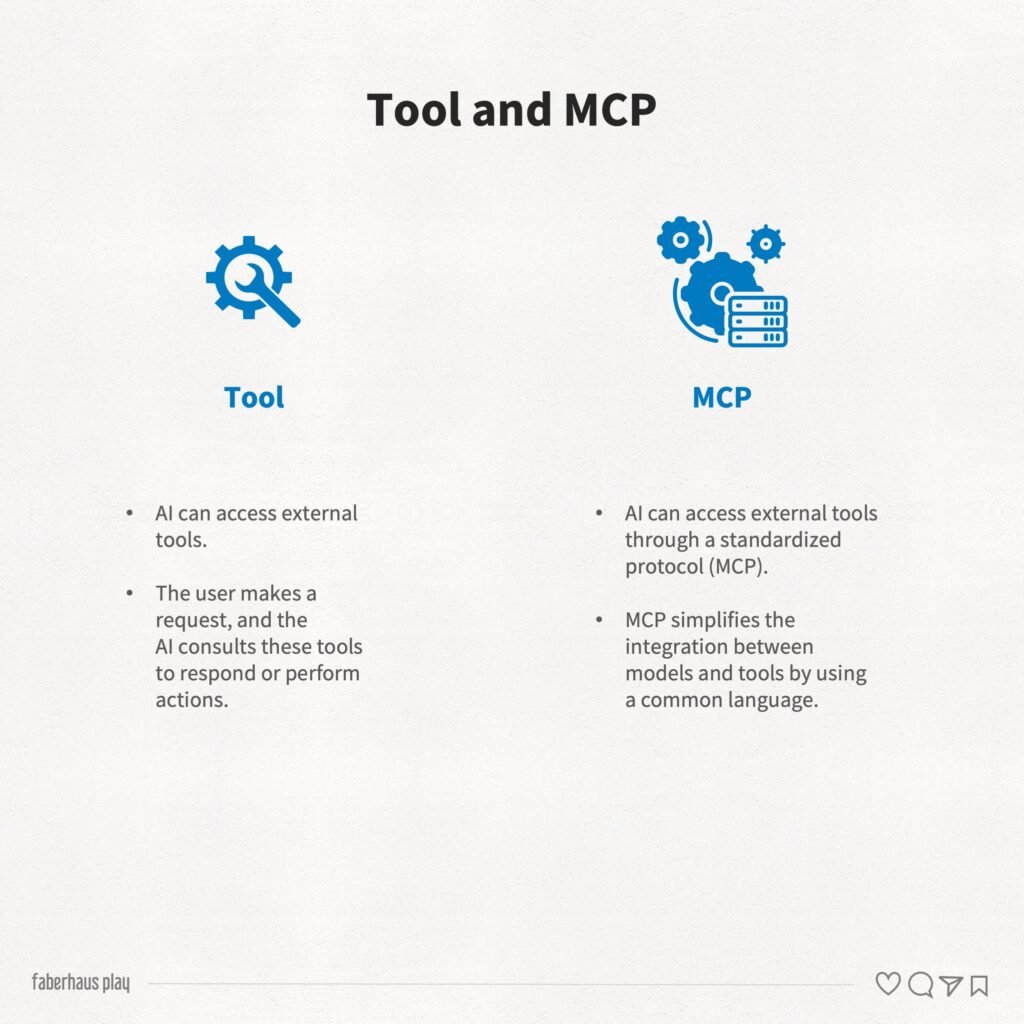
A Tool is something the AI can access and interact with.
Examples include:
- Figma
- Jira
- Notion
- Slack
- GitHub
- Google Drive
- Databases
The distinction is important:
A skill helps the AI think.
A tool helps the AI access or execute.
Imagine asking: How many tickets are currently overdue in Jira?
The AI cannot know that information on its own.
However, if connected to Jira, it can retrieve the data and answer accurately.
Advantages
- Access to real-world information
- Real-time updates
- Operational automation
Limitations
- Integration requirements
- Security considerations
- Governance challenges
The Fourth Layer: MCP – The Bridge Between AI and Tools
MCP stands for Model Context Protocol.
Originally introduced by Anthropic, MCP aims to solve a growing problem in AI ecosystems.
Before MCP, every tool required its own custom integration.
An AI might connect to Notion one way, Jira another way, and Figma in a completely different way.
MCP creates a common standard that allows AI systems and external tools to communicate more efficiently.
A useful analogy is: MCP is becoming the USB-C of AI integrations.
Instead of building countless custom connections, developers can adopt a shared protocol.
This makes integrations easier to build, maintain, and scale.
The Fifth Layer: Agents and Multi-agent Systems
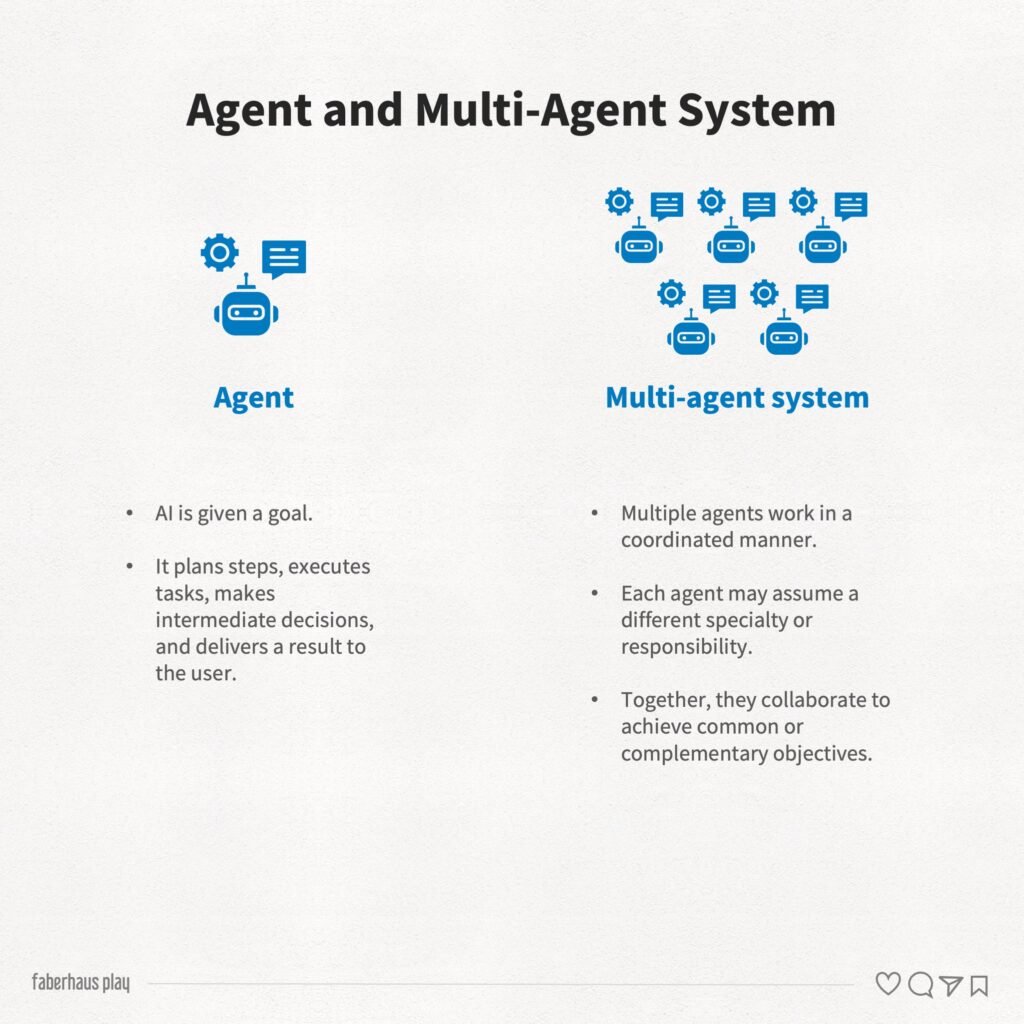
An AI agent is more than a chatbot.
An agent has:
- A goal
- Planning capabilities
- Access to tools
- The ability to perform actions
- Intermediate decision-making
For example:
Goal: Analyze competitors in the digital banking market.
An agent may:
- Search for competitors
- Collect information
- Compare features
- Generate insights
- Produce a final report
All with minimal human intervention.
Advantages
- Increased autonomy
- Reduced manual effort
- Scalable execution
Limitations
- Lower predictability
- Requires oversight
- Mistakes can compound across multiple steps
Agents move AI from answering questions toward accomplishing objectives.
Multi-Agent Systems
As tasks become more complex, a single agent may not be enough.
This is where multi-agent systems emerge.
Instead of one AI handling everything, multiple specialized agents collaborate.
For example:
Research Agent
Collects information.
↓
Analysis Agent
Identifies patterns and opportunities.
↓
Strategy Agent
Creates recommendations.
↓
Communication Agent
Produces the final report.
Each agent contributes a specific expertise while working toward a shared outcome.
This approach closely resembles how multidisciplinary teams operate inside modern organizations.
What Does This Mean for Designers?
The biggest transformation is not image generation.
It is the automation of cognitive workflows.
Traditionally:
Designer → Research → Synthesis → Strategy → Delivery
Increasingly:
Designer → Defines objectives → AI executes parts of the process → Designer validates decisions
The designer’s role shifts from producing every artifact manually to designing systems, decisions, and experiences.
The value moves upward.
Less operational work. More strategic thinking.
The Most Relevant AI Tools Today
Tools are constantly changing, with new ones being created and old ones being updated.
But at this moment, some tools perform excellently in certain contexts, such as:
General-Purpose AI
- ChatGPT
- Claude
- Gemini
- Perplexity
Best for:
- Ideation
- Writing
- Learning
- Problem solving
Research and Knowledge Management
- NotebookLM
- Dovetail
- Maze
- Condens
Best for:
- Research synthesis
- Discovery
- Interview analysis
- Knowledge exploration
Automation and Agents
- Dify
- n8n
- CrewAI
- Langflow
- Flowise
Best for:
- Automated workflows
- Agent creation
- Process orchestration
Design and Development
- Cursor
- Claude Desktop
- GitHub Copilot
- Windsurf
Best for:
- Product development
- Documentation
- Design systems
- Cross-functional collaboration
Practical Use Cases for Product Design
Discovery Research
Before:
- 20 interviews
- Several days of manual synthesis
Now:
- Upload interviews
- Automatic clustering
- Themes and opportunities generated in minutes
Competitive Analysis
Before:
- Hours collecting references
Now:
- Agents gather competitors
- Analyze patterns
- Generate comparison reports
Design Systems
Before:
- Manual auditing
Now:
- AI identifies inconsistencies
- Suggests improvements
- Accelerates governance
Content Creation
Before:
- Creating articles from scratch
Now:
- AI transforms interviews, presentations, and research into structured content
When Should You Use Each Approach?
Use Prompts When
- Exploring ideas
- Solving simple problems
- Learning new topics
- Brainstorming
Use Skills When
- You need consistency
- The process is repetitive
- Quality standards matter
Use Tools When
- Real-world data is required
- You need system access
- Information changes frequently
Use MCP When
- Multiple tools must work together
- Scalability is important
- Integration complexity is growing
Use Agents When
- The task involves multiple steps
- You want partial automation
- The outcome matters more than the individual actions
The skill that emerges is reading, creating, and connecting ecosystems far beyond simply writing prompts
The conversation around AI is gradually moving beyond prompts.
The next generation of systems combines knowledge, methods, tools, integrations, and autonomous execution.
Professionals who master prompting will remain productive.
But professionals who understand skills, tools, MCPs, and agents will be able to scale their work in entirely new ways.
Perhaps the most important question is no longer:
How can I write better prompts?
Instead, it becomes: Which parts of my workflow can be transformed into intelligent systems?
The answer to that question may define the next generation of design work.
References
RUSSELL, Stuart; NORVIG, Peter. Artificial Intelligence: A Modern Approach. 4th ed. Harlow: Pearson, 2021.
GOODFELLOW, Ian; BENGIO, Yoshua; COURVILLE, Aaron. Deep Learning. Cambridge: MIT Press, 2016.
MOLLICK, Ethan. Co-Intelligence: Living and Working with AI. New York: Portfolio, 2024.
BRYNJOLFSSON, Erik; MCAFEE, Andrew. The Second Machine Age. New York: W. W. Norton, 2014.
Anthropic. Introducing the Model Context Protocol (MCP).
OpenAI. Introducing GPTs.
Google Labs. NotebookLM Documentation.
Microsoft Research. AutoGen: Enabling Next-Generation Large Language Model Applications.